Add users to permission sets
OneView has two permission sets for the users to be assigned according to their Salesforce user profile.
-
OneView Admin
-
OneView Agent
See OneView permission set detail.
Follow the steps below to assign a user to the permission set:
- From Setup using the Quick Find box, search for and select Permission sets.
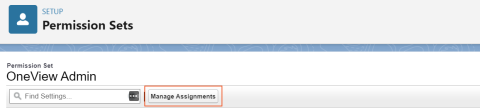
- Select OneView Admin or OneView Agent from the Permission Set Label to edit.
- Click Manage Assignments.
- To add users to the permission set, click Add Assignments.
- Select the user(s) you want to add and click Next.
- Click Assign.
- Verify assignments and click Done.

Result: The user is added to the permission set.