View a past message conversation
Transcripts of past chat conversations may be viewed if administrators have configured this option to be available on a record page. For example:
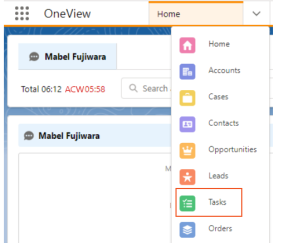
- Click the drop-down menu beside Home and
click Tasks.
- A list of previous tasks is displayed. Click any task.
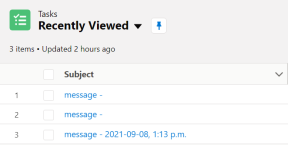
Result: The details of the task and the message transcript component are displayed. Emojis and stickers sent by the customer will also be included in the transcript.